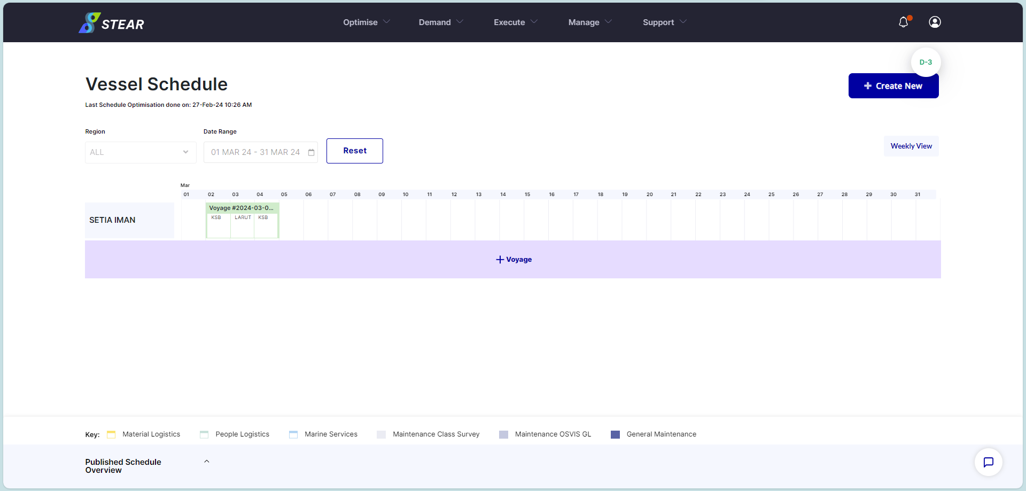
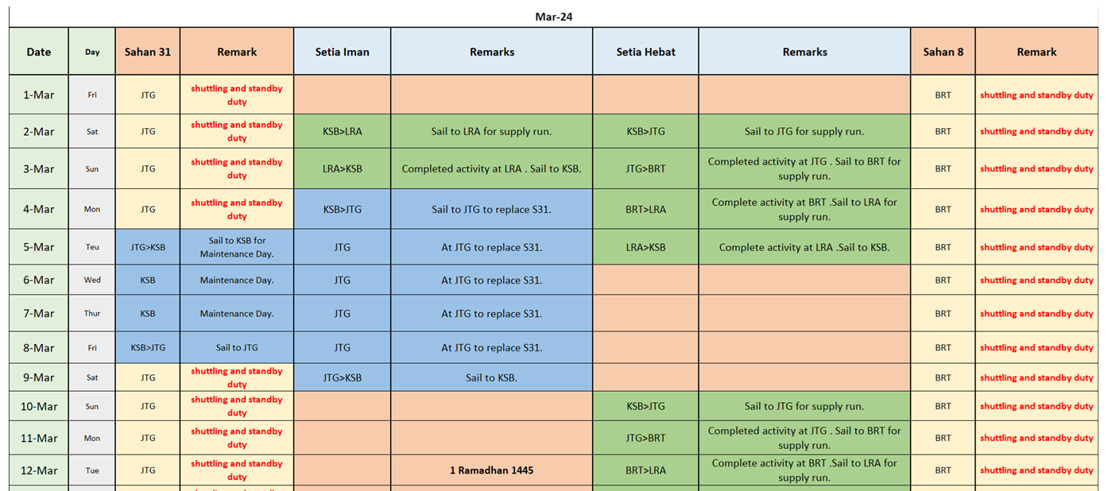
Step 1 – Refer Boat Movement Schedule Plan
Boat Movement Schedule Plan for PM will be shared by focal via email.
Step 2 – Check Vessel Availability (Optional)
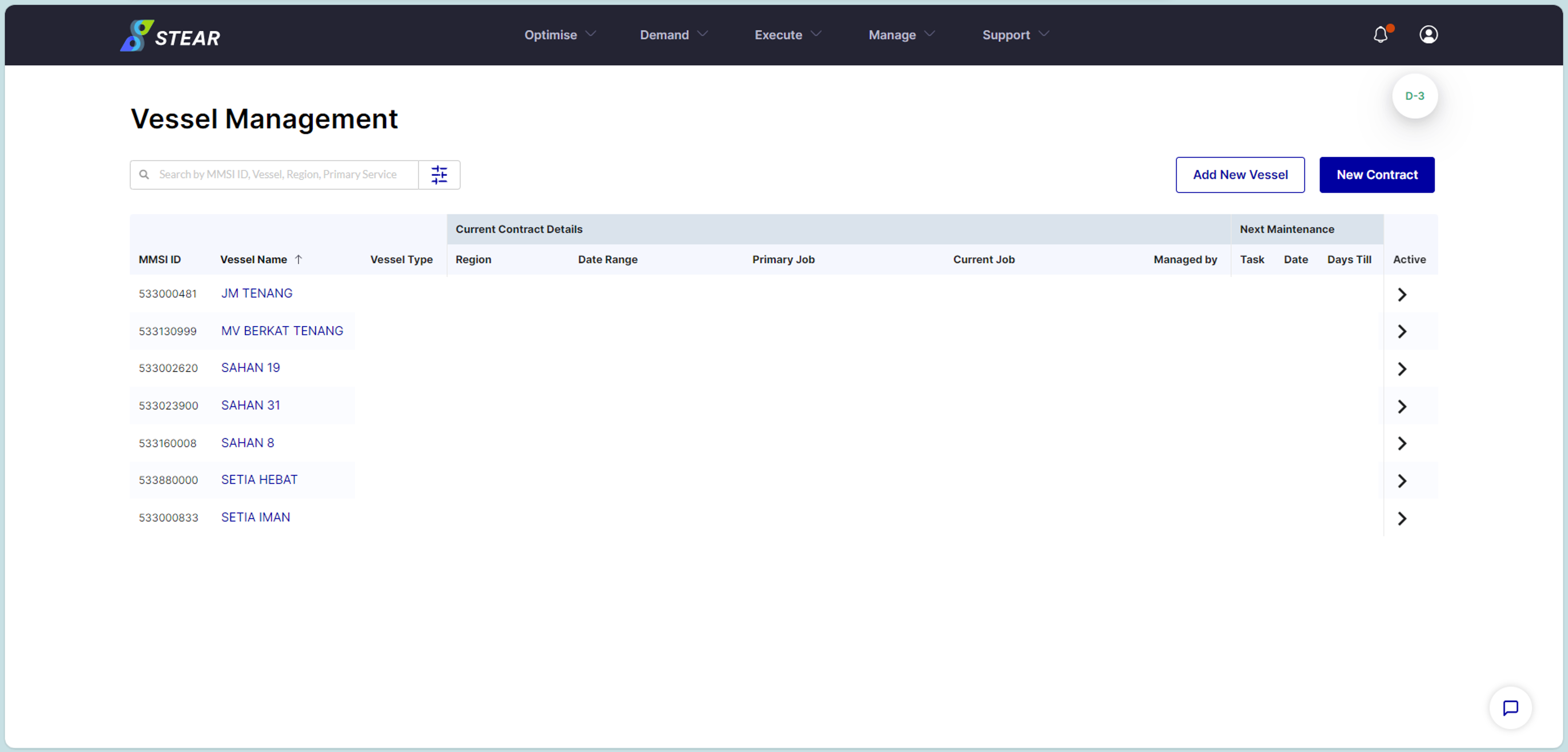
Go to Manage > Vessels Management > click on the vessel name > check Current Contract Details (Date Range).
Step 3 – Create D-30 / D-7 Backbone Schedule
Go to Optimise > View Vessel Schedule (VVS) > select Region and Date Range > click ‘Next’.
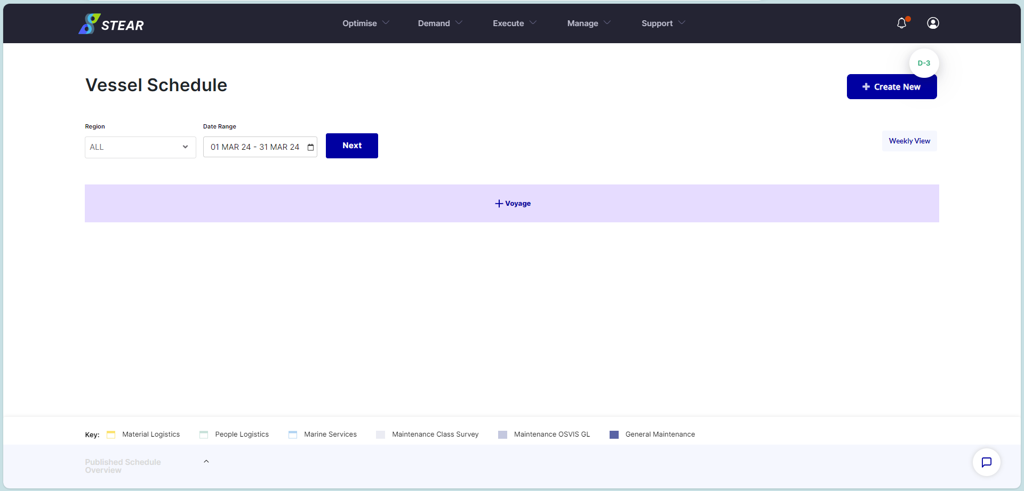
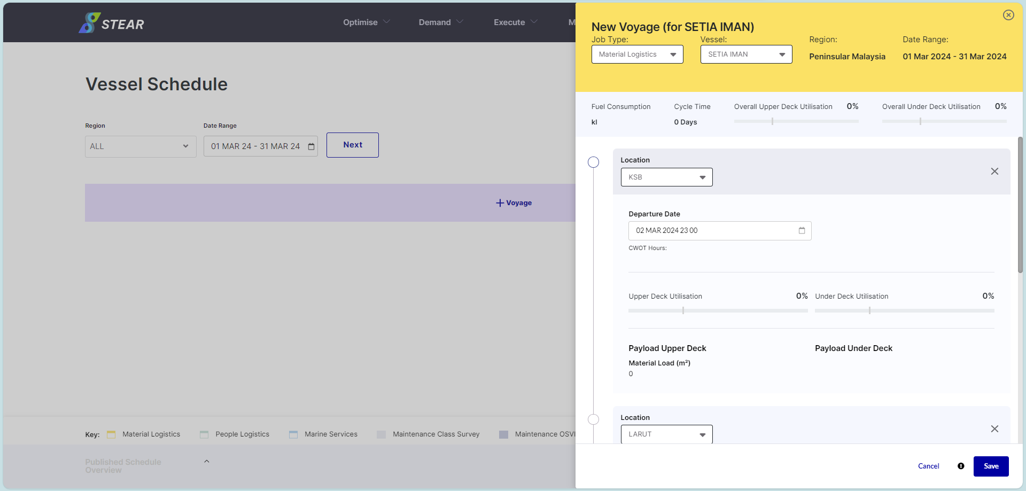
(Continue) Create a Voyage in VVS:
Click ‘+Voyage’ > select Job Type and Vessel > add Location > click ‘Save’. Optional – User can set departure time at each location with / without CWOT as an early planning.
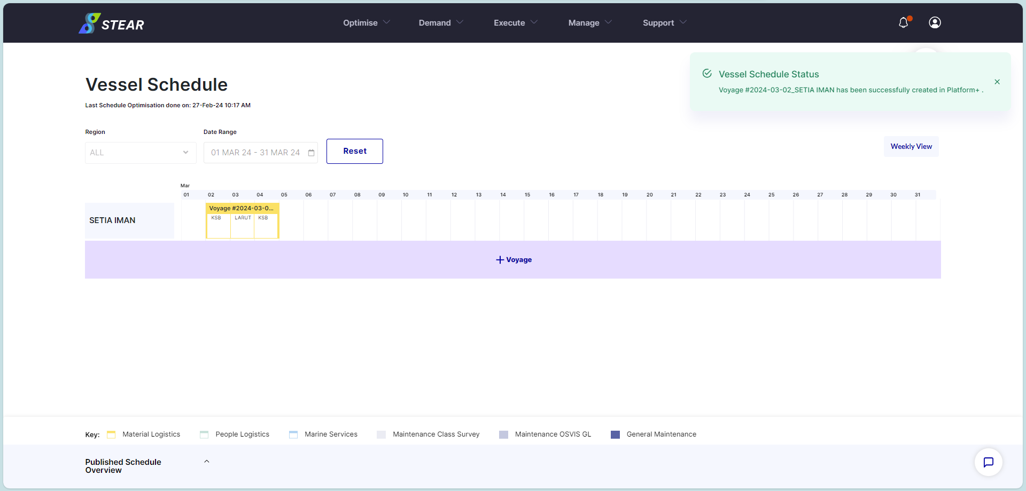
(Continue) View a Voyage in VVS:
Once created and saved, the schedule will appear at VVS. To view, click on the voyage name itself.
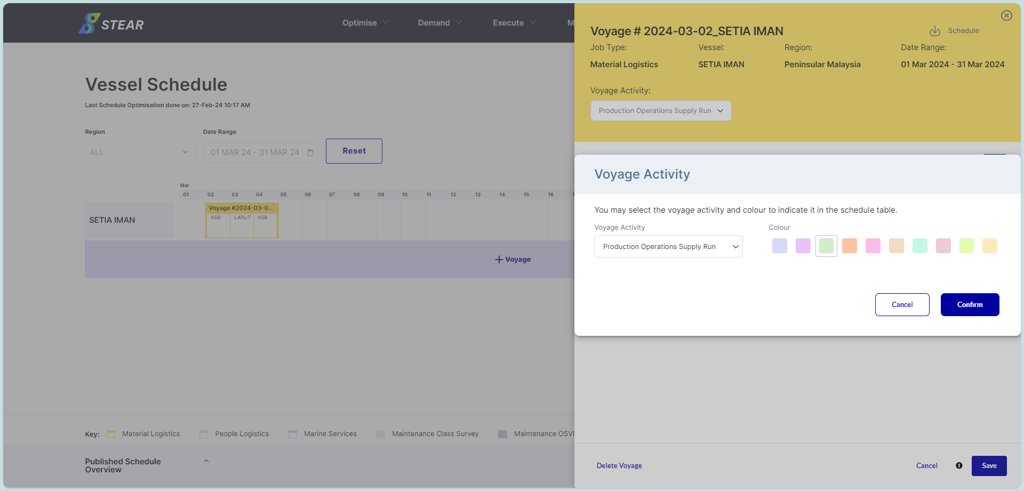
(Continue) Optional – Set Color of Voyage Activity:
To display voyage based on activity, user can set the color from the color selection. Click voyage > click ‘Close’ at the pop-up notification > click Voyage Activity > select Voyage Activity and Colour > click ‘Confirm.
(Continue) Optional – Set Color of Voyage Activity:
Color selection to the voyage will be automatically changed. Continue to add another voyage based on voyage planning shared by focal.