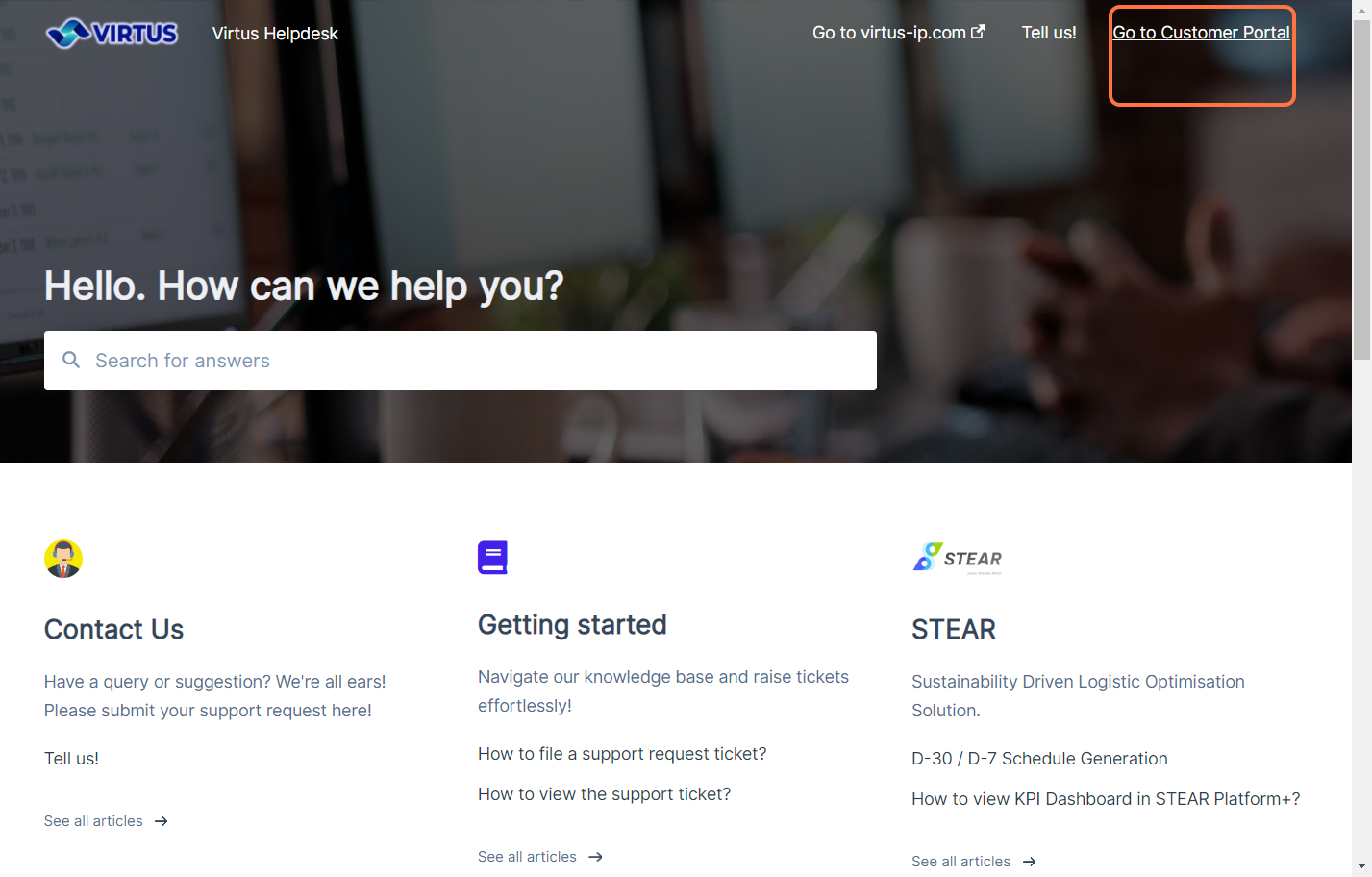
Step 1: Go to Virtus Helpdesk and click on Go to Customer Portal.
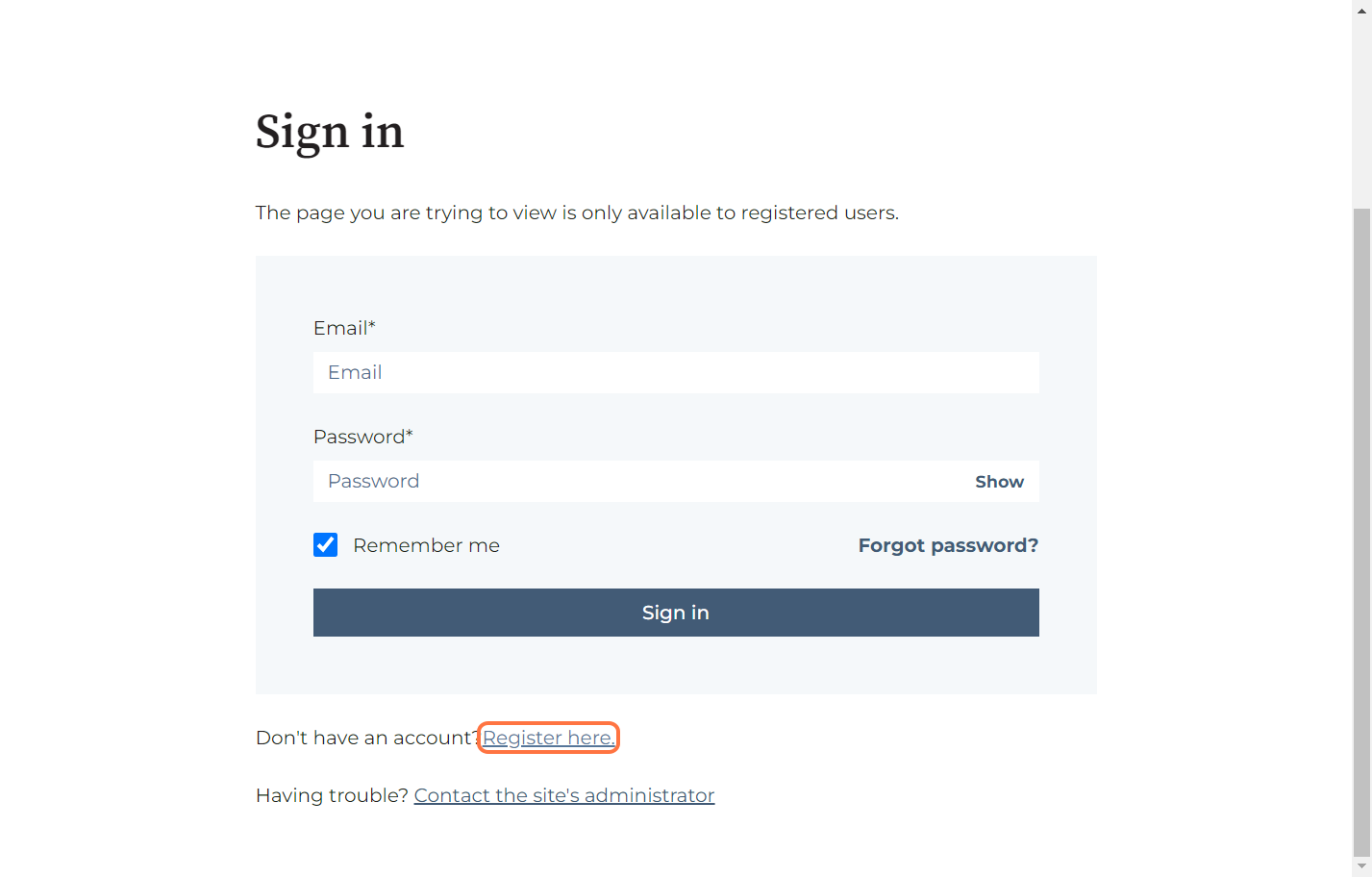
Step 2: Click on Register here.
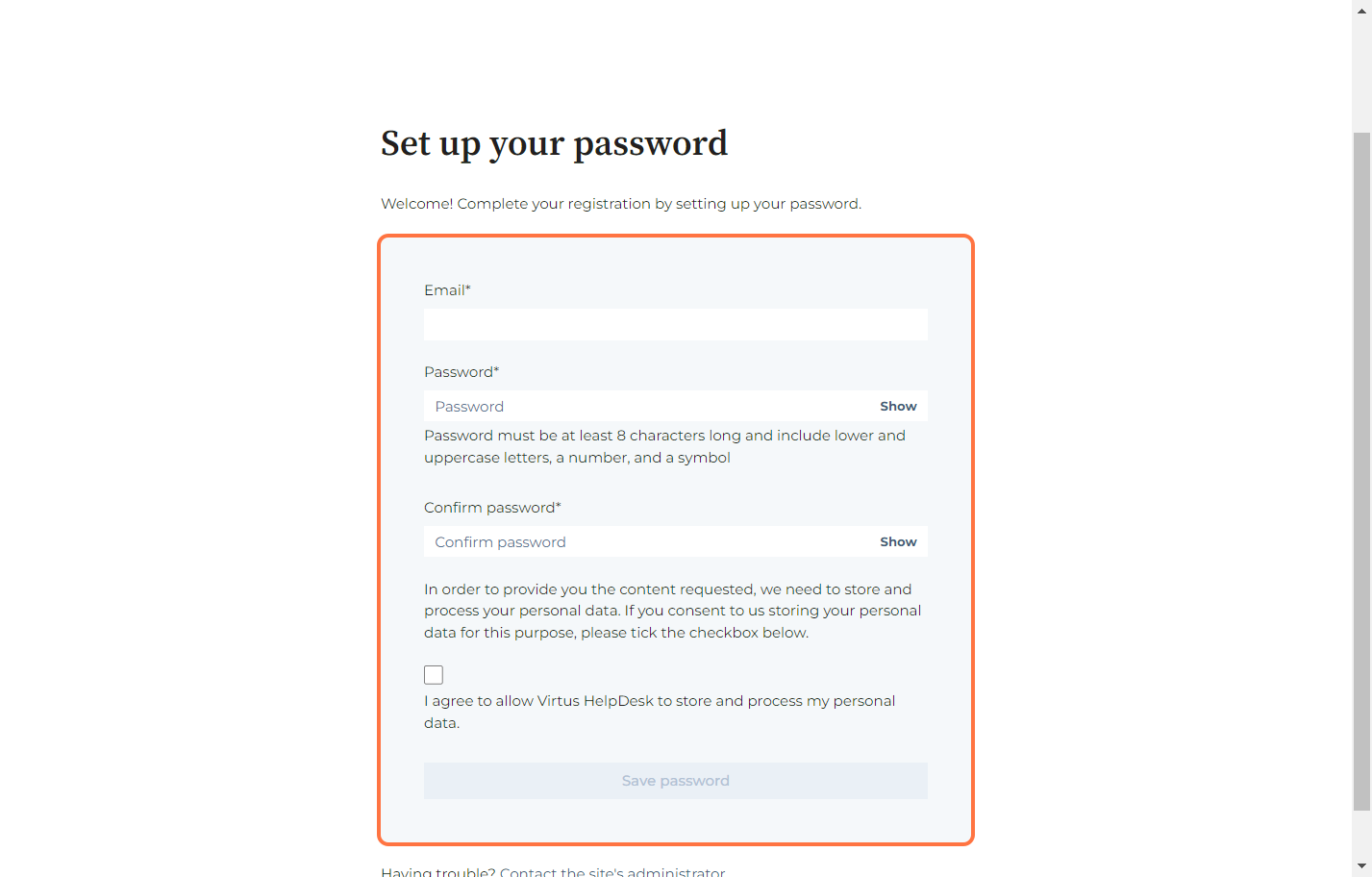
Step 3: Setup your account.
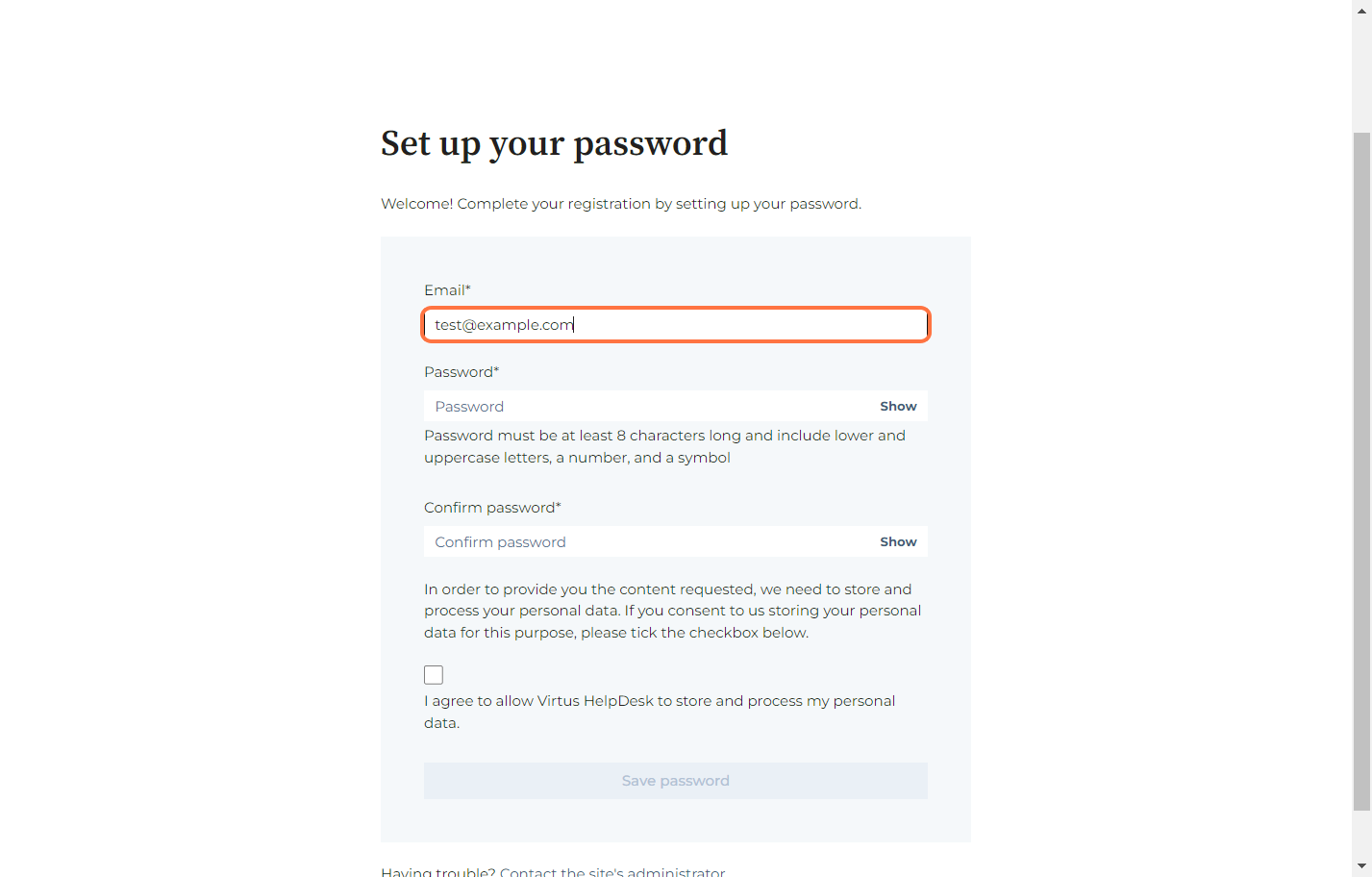
Please fill in the form below accordingly. We recommend using the same email that is registered with the product/account associated with Virtus IP.
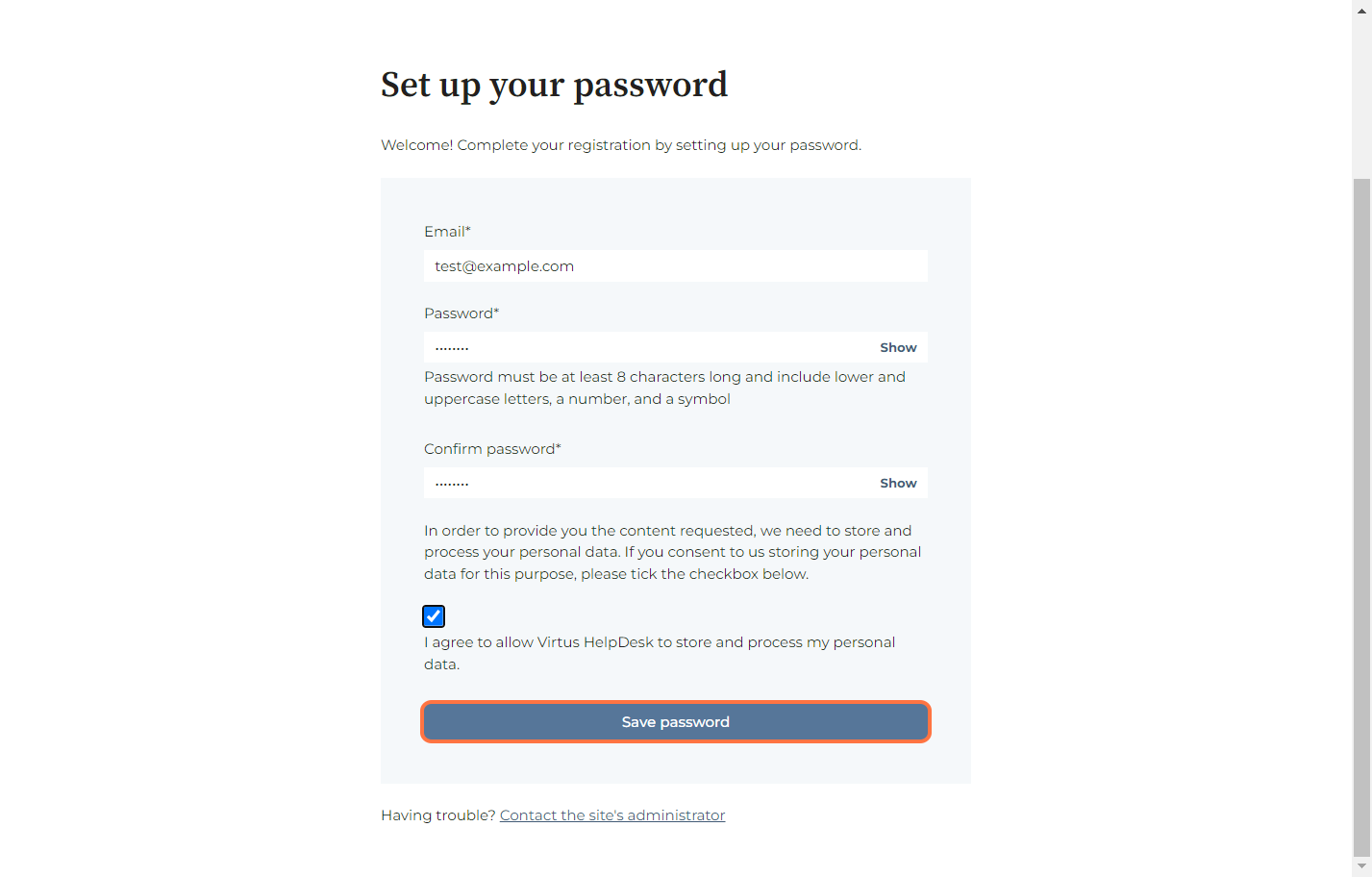
Step 4: Insert the same email registered with the product and create a strong password for Customer Portal login.
Step 5: Check I agree to allow Virtus HelpDesk to store and process my personal data.
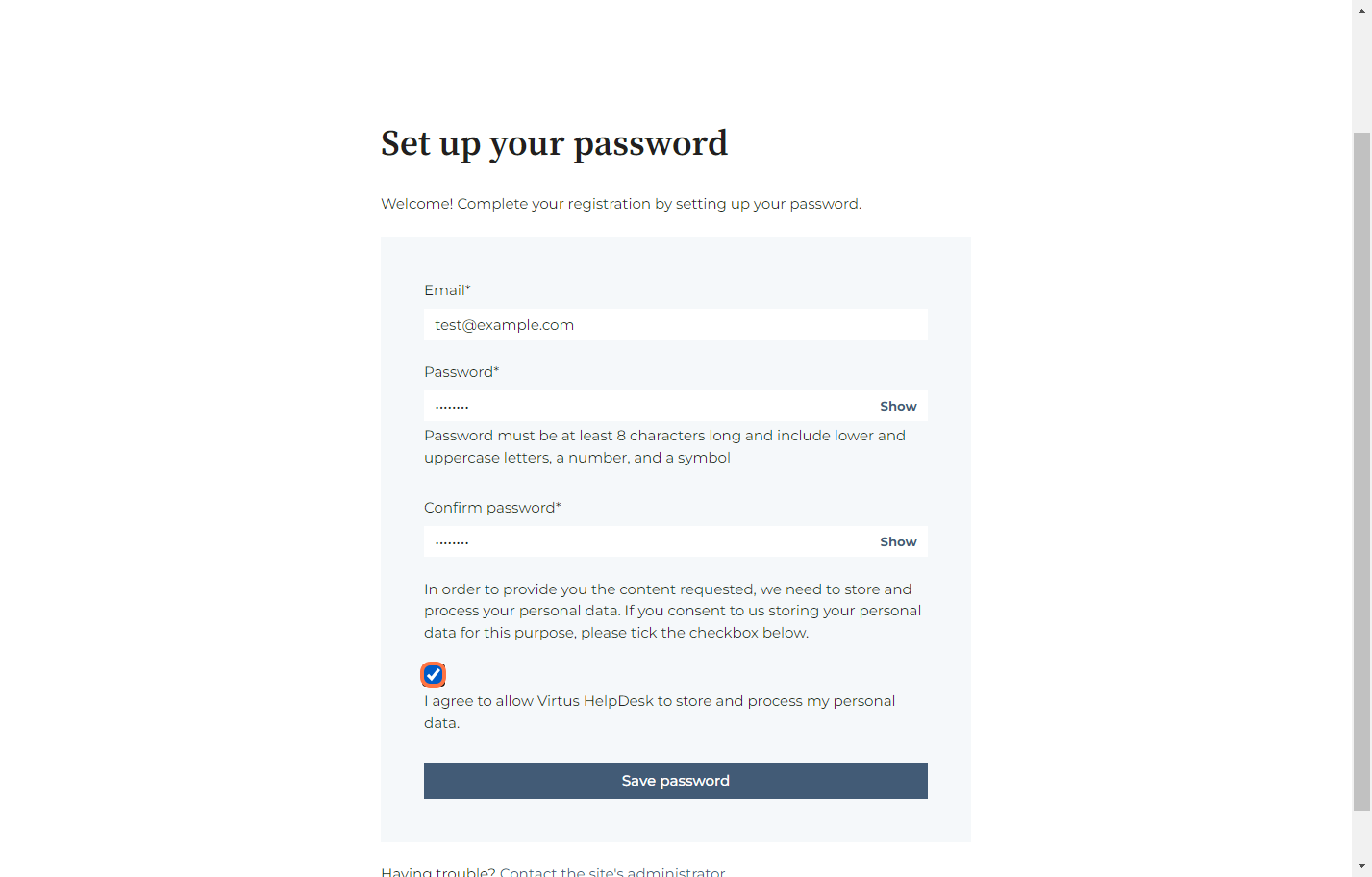
Step 6: Click on Save password.