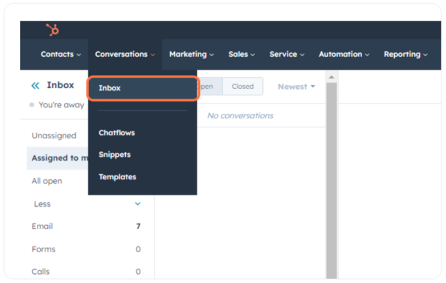
Step 1: Accessing Your Inbox
Navigate to your inbox by selecting ‘Conversations > Inbox’ from the main menu.
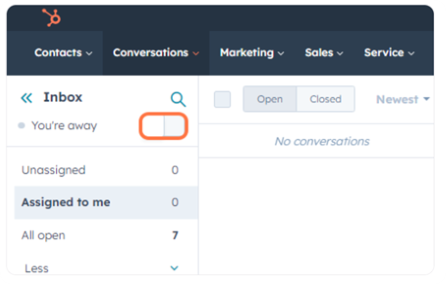
Step 2: Setting Your Availability
In the right panel, ensure to switch your status from ‘You’re away’ to ‘You’re available’.
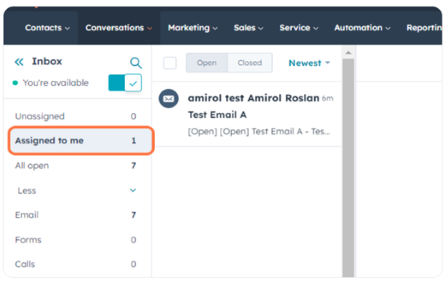
Step 3: Viewing Assigned Conversations
Click on Assigned to me to view all the conversations that have been assigned to you.
Conversations can originate from various sources, such as:
- Emails sent by customers.
- Forms submitted via Virtus Helpdesk.
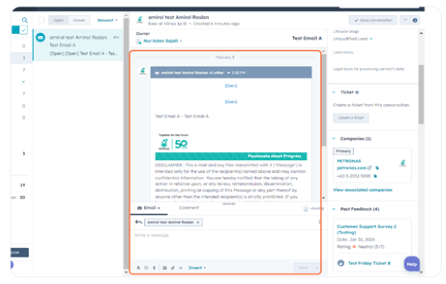
Step 4: Reviewing Assigned Conversations
Carefully review each conversation assigned to you before proceeding to the Triage steps.