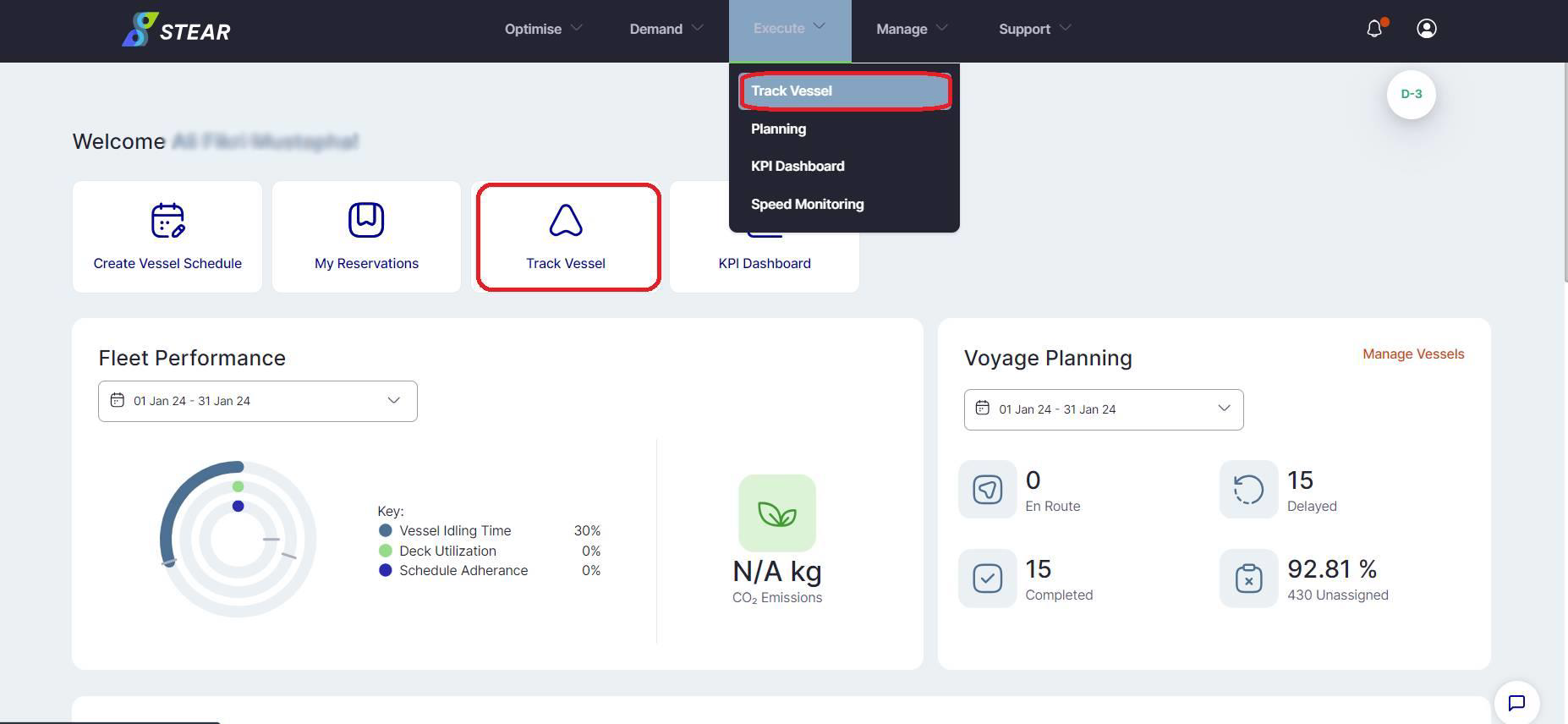
When you first log into the Platform+ Portal, you will see all services provided by Platform+. The modules you have access to will depend on your user access control. Click on “Track Vessel” under the Execute tab to access the Execute module.
When you first enter into the Execute Module, you will see the “Main View” page.
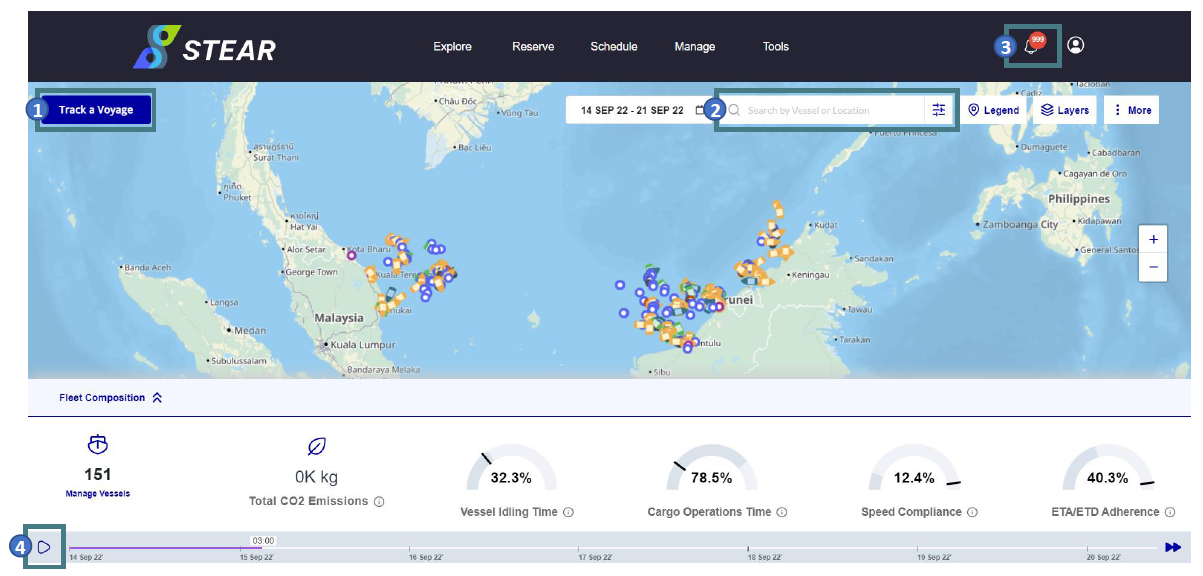
ACTIONS:
1. You can apply vessel filters here to track voyages by region, service, vessel &
voyage ID.
2. You can search for vessels or platforms here
3. You can click on this notification icon to view notifications
4. You can click the “Play”
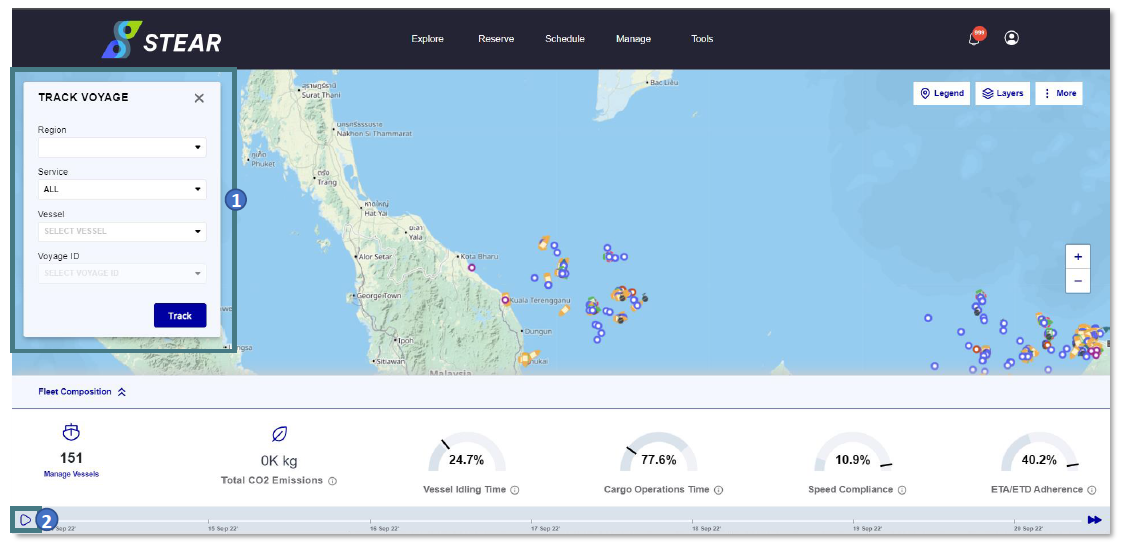
ACTIONS:
1. Apply vessel filters to find your chosen voyage
2. Click the “Play” button to play or stop the playback
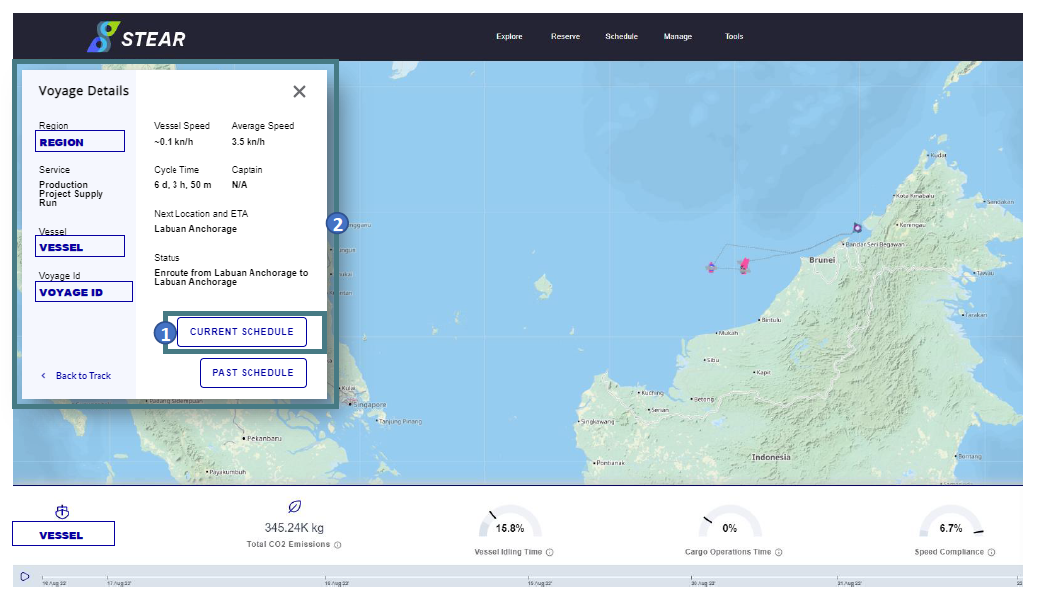
ACTIONS:
1. Clicking “Current Schedule” opens schedule for current voyage.
2. Filtered voyage enables you to view specific information of voyage trip
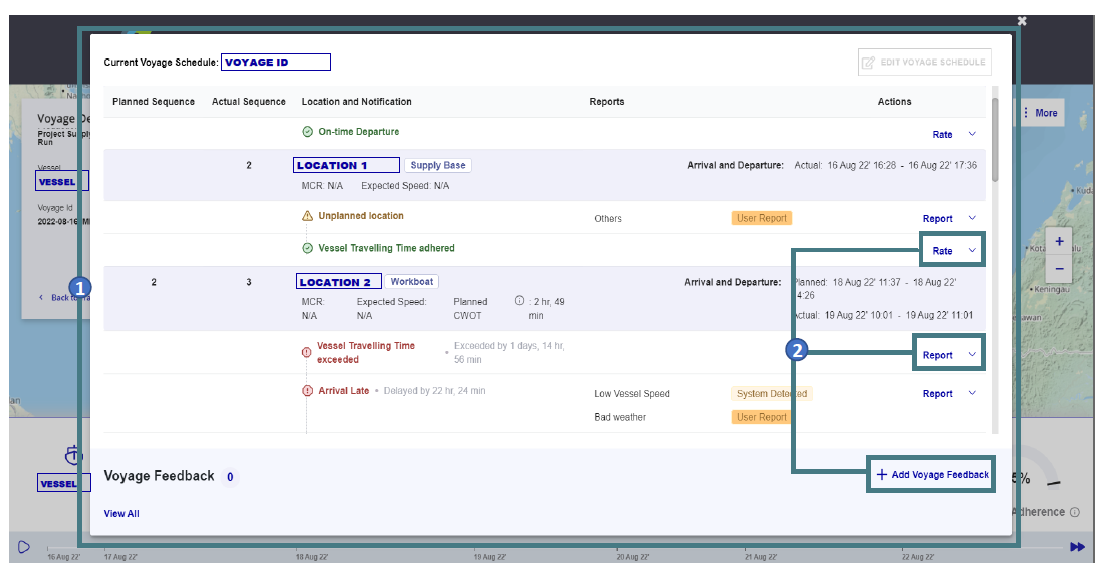
You can add a rate, add a report OR add voyage feedback.