
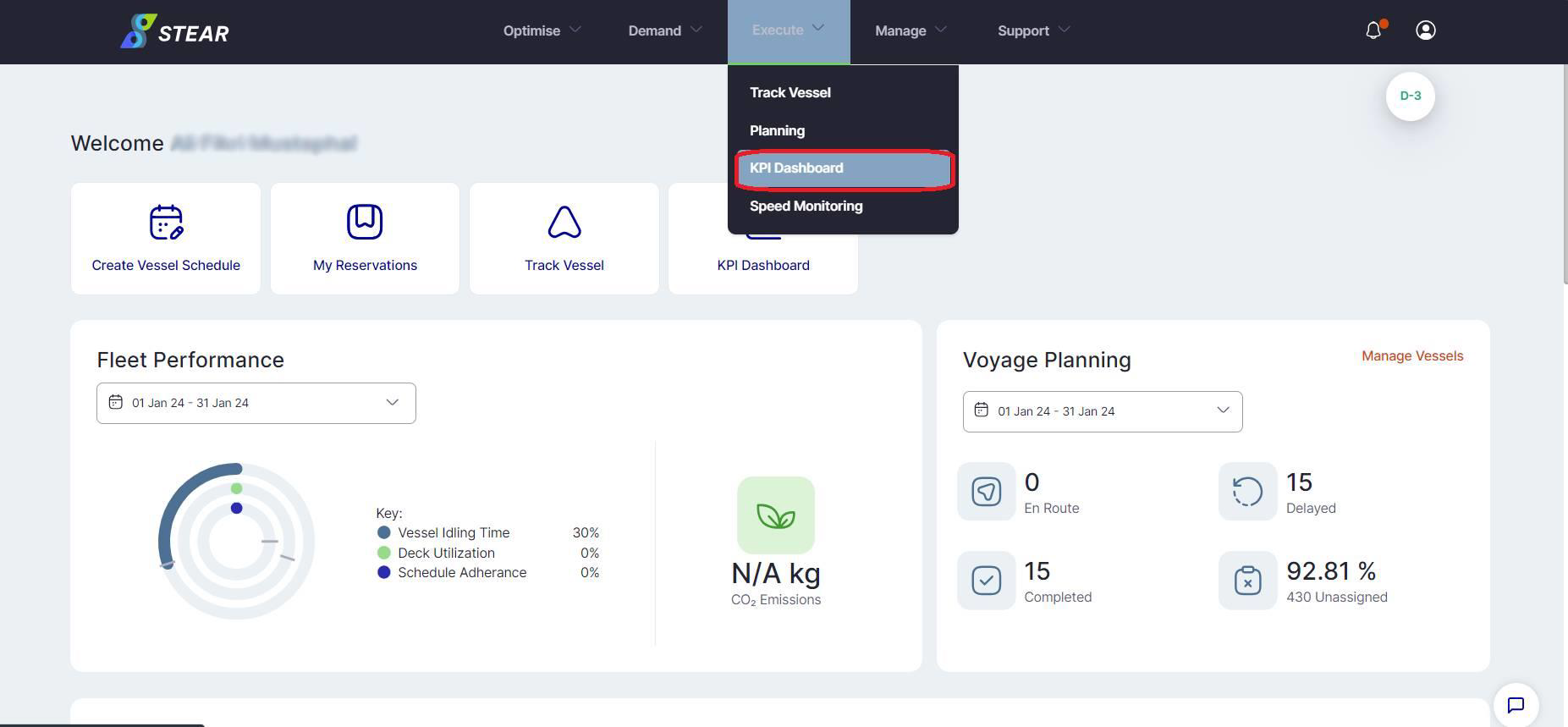
Once you click on ‘KPI Dashboard’ under Execute tab, you will be landed onto this page. Our dashboard allows you to keep track of key KPIs, with optional filters to view specific breakdowns by region or vessel types.
ACTIONS:
1. Click “KPI Dashboard” under Execute tab to access dashboards
2. Select different dashboards to view our range of KPIs
ADDITIONAL INFO:
Alternatively, you can also access this dashboard on the landing page then
click “KPI Dashboard” button located at the top right corner
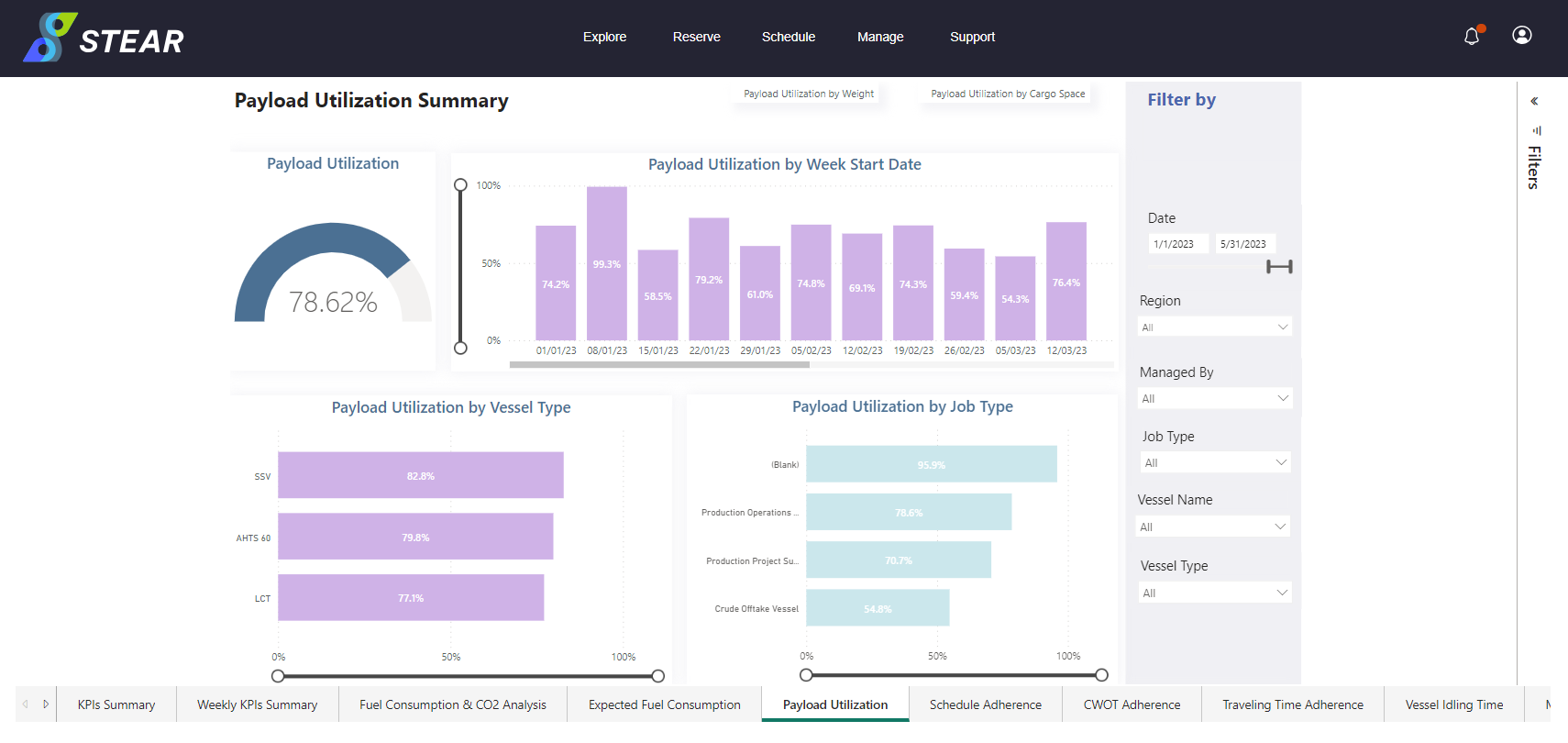
Our KPI dashboard allows you to keep track of key KPIs, with optional filters to view specific breakdowns by region or vessel types.
ACTIONS:
1. Select the desired tab at the bottom of the screen
2. Apply filters here such as the:
a) Date
b) Region
c) Managed By
d) Job Type
e) Vessel Name
f) Vessel Type